
Internet Protocol Television, commonly called IPTV, delivers television programming through an internet connection rather than through traditional cable or satellite signals. A typical IPTV service gives customers access to live channels, on-demand programs, and sometimes electronic program guides through compatible applications or streaming devices. 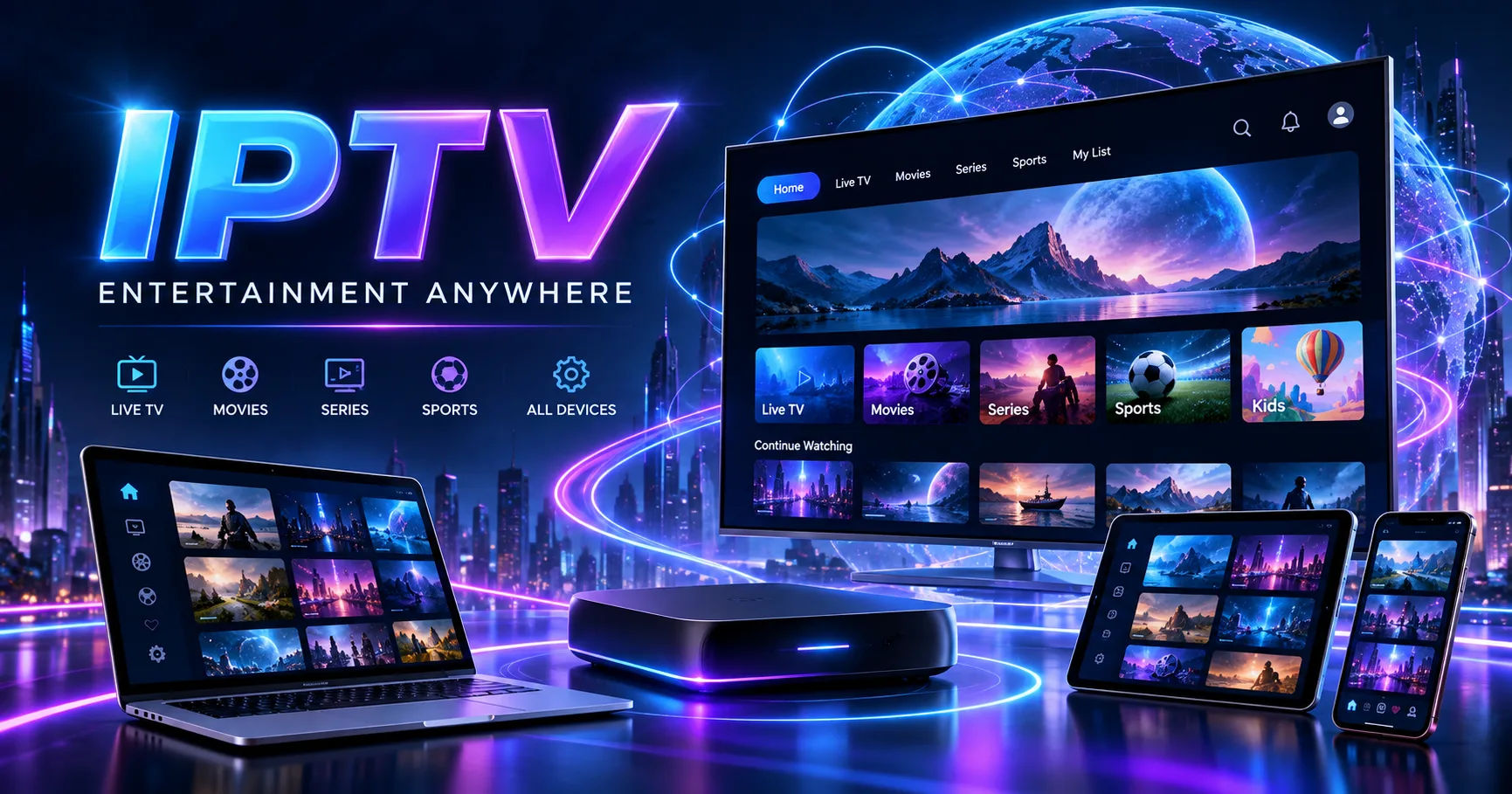 A TREX IPTV subscription generally follows this same basic model. You select an access period, complete payment, receive account or connection details, and then use those details in a compatible IPTV application or device. The exact process can vary because several websites currently use the TREX IPTV name and advertise different packages, prices, channel counts, and connection limits.
This distinction is important. There does not appear to be one universally identifiable TREX IPTV provider with identical plans everywhere. Some services advertise Xtream Codes or M3U access, while others advertise different packages and device limits. Therefore, customers should verify the exact provider, terms, and service being purchased before paying.
What You Actually Purchase
With traditional television, you usually subscribe to a cable, satellite, or telecommunications company that controls the delivery infrastructure. IPTV is different because the subscription normally provides access credentials that allow a compatible player to retrieve streams over the internet.
The subscription itself is usually time-limited.
For example, providers using the TREX name advertise periods such as one month, three months, six months, one year, or longer. One provider currently lists one-month through two-year options, while another advertises one-month through one-year packages.
This means the subscription is not normally the same thing as purchasing an application. The application is simply the software used to play the content. The provider supplies the account or playlist information that connects that application to the available streams.
This difference can prevent a common misunderstanding. Installing an IPTV player does not automatically give you television channels. You generally need valid service credentials or a playlist supplied by a legitimate content provider.
How a TREX IPTV Subscription Starts
The first step is normally choosing a subscription period.
A short-term plan can be useful when you want to evaluate the service before making a longer commitment. Longer plans may reduce the effective monthly cost, although paying for a longer period also increases the amount you have committed before knowing whether the service meets your expectations.
Some providers also allow customers to choose the number of simultaneous connections. For example, one current TREX-branded provider lists separate prices depending on whether one, two, three, or four devices are permitted to connect at the same time.
That detail matters for households.
If you only intend to watch television on one screen at a time, one connection may be enough. If two people want to stream different channels simultaneously, you may need a plan that explicitly permits two concurrent connections.
Do not assume that installing the same account on several devices automatically means you can watch on all of them at once.
Payment and Activation
After selecting a plan, the next stage is payment.
The exact payment methods depend on the provider. Current TREX-branded sites advertise different payment arrangements, including cards and other payment services. Because payment options differ between providers, it is sensible to check the checkout page carefully rather than relying on information from another TREX website.
After successful payment, the provider may send login information by email, display it after checkout, or provide it through another communication method.
Some providers advertise activation within a few minutes. One current site says credentials are delivered in under five minutes, while another advertises activation in approximately two minutes. These are provider claims rather than a guarantee that every order will activate at the same speed.
The information supplied may include a username, password, server address, M3U playlist URL, or another form of connection information.
Keep these details private. They can be equivalent to account credentials, and sharing them publicly can allow other people to use the service or interfere with your account.
What Are Xtream Codes and M3U?
One of the more technical parts of IPTV can be the connection method.
Some TREX-branded providers advertise Xtream Codes and M3U as connection options.
An M3U playlist is essentially a file or URL containing information that an IPTV player can use to locate available streams. The player reads that information and organizes the channels or media into a usable interface.
Xtream-style access generally involves credentials and a server address that the compatible application uses to retrieve the provider's available content.
For the customer, the practical difference is often simple. The provider tells you which method it supports, and you enter the supplied information into an appropriate application.
You should not enter credentials from an unknown source into random applications. Use a reputable player and check the application's privacy and security practices before entering account information.
Setting Up Your Device
Once your TREX IPTV subscription has been activated, you normally need a compatible device.
Depending on the provider and connection method, advertised device support can include Smart TVs, Android devices, Fire TV or Firestick devices, phones, tablets, computers, MAG devices, and other IPTV-compatible hardware. Different providers support different combinations, so compatibility should be confirmed before purchasing.
The general setup process is straightforward.
Install a compatible IPTV player from a trusted source. Open the application and select the appropriate login or playlist option. Enter the credentials or playlist information supplied by your provider. Save the configuration and allow the application to load the available categories.
Once the playlist has loaded, you may see categories for live television, movies, series, sports, news, children's programming, or other content.
The exact interface depends on the application rather than the subscription alone.
Simultaneous Connections
Device limits are one of the most important parts of any IPTV plan.
Suppose your subscription permits one simultaneous connection. You may be able to configure the account on several devices, but that does not necessarily mean you can stream from all of them simultaneously.
If someone starts watching on a television while another person attempts to use the same account on a phone, the provider may reject the second connection, interrupt one stream, or otherwise restrict access.
Some TREX-branded providers sell additional simultaneous connections separately. One current pricing page, for example, lists plans based on the number of devices that can be used at once.
Before choosing a plan, think about how your household actually watches television.
A single viewer has different requirements from a household where several people watch different programs at the same time.
Live Television and On-Demand Content
IPTV subscriptions can provide different types of content.
Live television works much like traditional television. You select a channel and watch the stream as it is being delivered.
On-demand content works differently. Instead of joining a live broadcast, you select a movie, episode, or other program and begin playback when you want.
Some providers also advertise catch-up television, allowing selected programs to be watched after their original broadcast. Electronic program guides, commonly called EPGs, may display channel schedules and program information.
However, the availability of these features can vary considerably.
A provider may advertise catch-up functionality while only offering it for selected channels. Similarly, a program guide may be incomplete for certain regions.
It is therefore better to treat advertised features as provider-specific rather than assuming every IPTV subscription offers identical functionality.
Internet Speed Matters
A subscription cannot overcome a poor internet connection.
Because IPTV streams are delivered over the internet, your viewing experience depends on several factors. These include available bandwidth, Wi-Fi quality, network congestion, device performance, server location, and the quality of the stream itself.
A high-resolution stream requires more data than a lower-resolution stream.
If a stream repeatedly buffers, the problem may not necessarily be your subscription. Your home network could be overloaded, your Wi-Fi signal could be weak, or the source server could be experiencing heavy traffic.
For demanding high-definition or 4K streaming, a wired Ethernet connection can sometimes provide a more consistent connection than crowded wireless networks.
It is also useful to avoid assuming that a provider's advertised "4K" label guarantees every program will actually be available in native 4K. Resolution depends on the source content and delivery quality.
What Happens When the Subscription Expires?
A TREX IPTV subscription normally provides access only for the period purchased.
When that period ends, the account may stop authenticating or the streams may no longer be available.
Some providers allow customers to renew an existing account rather than creating a completely new one. One current TREX-branded renewal page says customers can extend an existing subscription while retaining their server information, username, and password.
That process is provider-specific, however.
Before renewing, check whether your original provider still operates the same service and whether the renewal page belongs to the same company. The existence of several websites using similar TREX IPTV branding makes this particularly important.
Do not assume that every website using the TREX name is connected to the provider you originally purchased from.
Automatic Renewal Versus Manual Renewal
Another important subscription detail is whether the plan renews automatically.
Some current TREX-branded providers explicitly advertise one-time payments with no automatic renewal.
Other services may have different billing arrangements.
Read the checkout terms before submitting payment. Look for the billing frequency, renewal policy, refund conditions, and cancellation procedure.
If the provider says the plan is manually renewed, your access may simply expire when the purchased period ends.
If automatic renewal is enabled, the provider may charge your payment method again according to its terms.
Understanding this before purchasing can prevent an unexpected charge.
Troubleshooting Common Problems
Not every IPTV problem requires a new subscription.
If the application cannot connect, first check that your internet connection is working. Then verify the username, password, server address, or playlist URL exactly as supplied.
A single extra space or incorrect character can prevent authentication.
If the account works but a particular channel does not load, try another channel. If most channels work normally, the problem may be limited to that stream or source.
If everything stops working at once, check whether your subscription has expired or whether the provider has reported an outage.
You can also restart the application, restart the streaming device, and reconnect to the network.
For persistent problems, use the provider's official support channel. Several TREX-branded sites advertise customer support through email, chat, or messaging services.
Avoid sending your password to strangers who claim they can "fix" your account.
Is Every IPTV Subscription Legal?
This is one of the most important questions to consider.
IPTV technology itself is not inherently illegal. It is simply a method of delivering television and video content over internet networks.
The legal question generally concerns the rights to the content being distributed.
A service that has appropriate authorization to distribute channels, movies, sports, and other programming can operate lawfully. A service distributing copyrighted material without the necessary rights can raise serious legal concerns.
This is particularly relevant when a service advertises extremely large collections of premium channels, movies, sports, or pay-per-view programming for unusually low prices.
The websites currently using the TREX IPTV name make different claims about their services, but those marketing claims do not independently establish licensing rights. Some pages advise customers to check the laws in their own countries.
Therefore, before purchasing, check whether the provider can explain its content licensing and whether the service complies with the laws applicable where you live.
Protecting Your Personal Information
Treat an IPTV subscription purchase like any other online transaction.
Check that the website uses secure payment processing. Read its privacy policy. Avoid giving unnecessary personal information.
Be particularly careful with providers that request unusual payment methods or ask customers to send sensitive financial information through ordinary chat messages.
Use a strong, unique password when the service allows you to create one.
You should also remember that IPTV applications can process viewing information, device information, network information, or account credentials depending on how they are designed.
Before installing an unfamiliar application, review its publisher, permissions, privacy policy, and reputation.
Choosing a Subscription Period
Choosing the length of your plan should depend on how confident you are in the service.
A short plan gives you more flexibility. It lets you test the application, stream quality, channel availability, support responsiveness, and compatibility before committing to a longer period.
A longer plan may have a lower effective monthly price, but the apparent saving is less useful if the service does not meet your expectations.
You should also consider how often you watch live television.
Someone who watches television occasionally may have very different needs from someone who relies on IPTV every evening.
Most importantly, do not purchase a long subscription simply because the advertised monthly equivalent looks attractive.
What to Check Before Paying
Before purchasing, verify the provider's exact website and business identity.
Confirm the subscription duration and total price. Check how many simultaneous connections are included. Verify which devices and applications are supported.
Review the refund and cancellation terms.
Check whether the service renews automatically.
Look at the provider's explanation of content licensing where available.
Finally, make sure you understand what happens when the service expires.
These checks take only a few minutes but can save considerable frustration later.
Conclusion
A TREX IPTV subscription generally works by giving a customer time-limited access to television or on-demand streams that are delivered through the internet. The customer chooses a plan, pays for the selected period, receives connection information, enters that information into a compatible IPTV player, and then accesses the content included with the service.
The technical side is relatively simple once the basic terms are understood. M3U playlists and Xtream-style credentials are common ways of connecting an IPTV application to a provider's service. Device limits determine how many streams can operate at the same time, while internet quality has a major effect on playback.
The bigger issue is choosing the specific provider carefully. Multiple websites currently use the TREX IPTV name, and their prices, channel claims, device limits, activation procedures, and subscription conditions are not identical.
For that reason, customers should verify the exact service they are buying rather than relying on generic TREX IPTV information found elsewhere.
It is also important to separate IPTV technology from the legality of particular content. Internet-based television delivery is a legitimate technology, but the provider needs appropriate rights to distribute copyrighted programming. Checking licensing, payment terms, privacy practices, refund conditions, and local laws is therefore part of making an informed subscription decision.
Once those details are confirmed, the basic subscription model is straightforward: choose the period and connection requirements, complete the purchase, receive the access information, configure a compatible player, and use the service during the purchased term. When the term ends, access normally requires renewal if you want to continue.