
Custom redirect links have become an important part of modern digital marketing, website management, branding, and online communication. Instead of sharing long, complicated URLs that are difficult to remember or understand, businesses and individuals can use a cleaner link that redirects visitors to the intended destination. 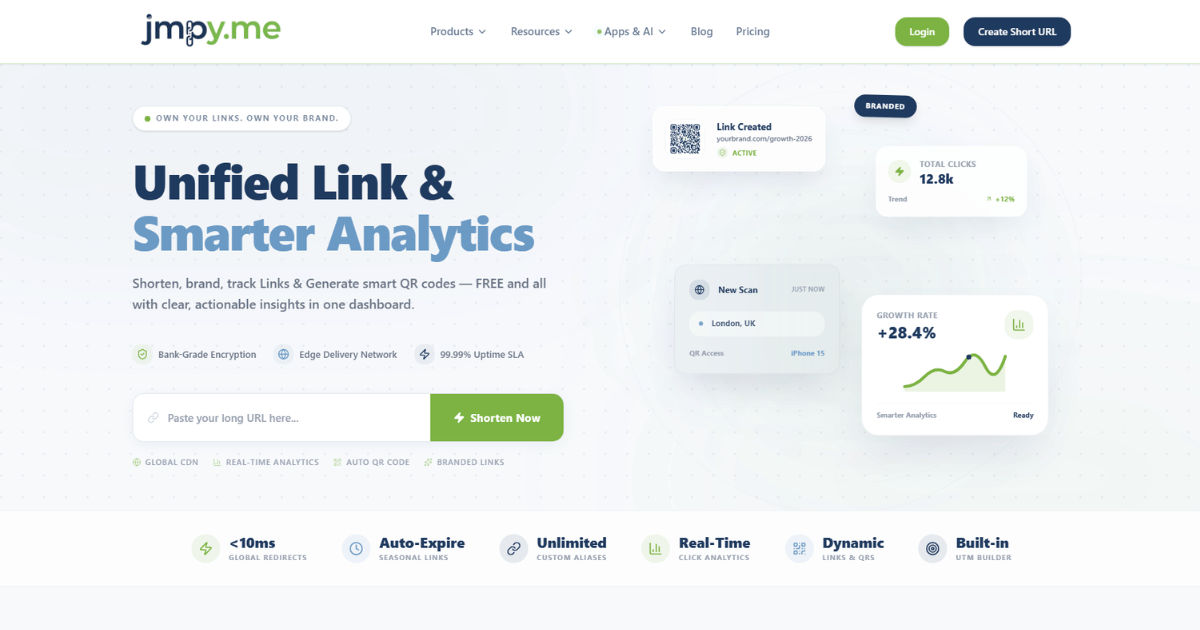 For people looking for Dynamic short links free, custom redirect links can also provide a convenient way to create more manageable and useful URLs without making the process unnecessarily complicated.
A custom redirect link is a URL that sends users from one address to another. The first URL is the link people click, while the second URL is the actual destination page. The redirect happens automatically, usually within a fraction of a second.
At first, this may seem like a simple technical feature. However, custom redirect links can be useful for much more than forwarding visitors. They can help improve branding, make links easier to share, support marketing campaigns, simplify website changes, and provide better control over online traffic.
For example, imagine a company has a product page with a long URL containing numbers, categories, tracking parameters, and other technical information. Sharing that URL on social media or printing it on marketing materials may look messy. A custom redirect can turn that complicated address into something much easier to understand and remember.
The benefits become even more valuable when a business manages multiple campaigns, products, websites, or marketing channels. Instead of repeatedly changing printed materials or updating links everywhere, a properly managed redirect can provide a more flexible solution.
This guide explains why custom redirect links are used, how they work, where they are most useful, and what you should consider before creating them.
What Is a Custom Redirect Link?
A custom redirect link is a specific URL created to send visitors to another web address.
The link that users see may be short and meaningful, while the destination URL may be much longer or more complicated.
For example, a business might have a destination such as:
www.website.com/products/category/item?id=48372
A custom redirect could use a simpler structure such as:
When someone visits the custom address, the website redirects the visitor to the actual product or campaign page.
The user does not need to understand what happens behind the scenes. They simply click the link and arrive at the intended destination.
Custom redirect links can be created for many different purposes. A business may use them for advertising campaigns, social media promotions, email marketing, event registration, product launches, or temporary offers.
The main idea is simple: create a more useful or manageable entry point to a destination URL.
How Do Custom Redirect Links Work?
When someone clicks a custom redirect link, the browser sends a request to the server where the redirect is configured.
The server then responds by telling the browser that the requested page has moved or should be accessed at another URL.
The browser follows that instruction and loads the destination page.
This process normally happens so quickly that the visitor may not notice it.
There are several types of redirects, but the most common ones used for website management are 301 and 302 redirects.
A 301 redirect generally indicates that a page has permanently moved to a new location. This is commonly used when a website changes its URL structure or permanently replaces an old page with a new one.
A 302 redirect generally indicates a temporary change. It may be useful when a destination is expected to change back later or when a temporary campaign is running.
The correct redirect type depends on the purpose of the link.
For marketing campaigns, temporary promotions, and testing, businesses may use temporary redirects. For permanent website changes, a permanent redirect is usually more appropriate.
Why Are Custom Redirect Links Useful?
The biggest advantage of custom redirect links is control.
Without redirects, changing a destination URL can create a lot of unnecessary work. You may have already printed the original URL on brochures, added it to social media posts, included it in emails, or shared it with customers.
If the destination changes, those old links can become a problem.
With a custom redirect, the public-facing link can remain the same while the destination behind it changes.
For example, a business could promote:
The company can use that same link for a campaign today and change its destination later.
This makes the link more flexible and easier to manage.
Custom redirects can also help keep URLs organized. Instead of allowing different teams to create random links for every campaign, a company can establish a consistent naming system.
That makes digital assets easier to understand and maintain.
Custom Redirect Links Make URLs Easier to Remember
Long URLs can be difficult to remember.
They may contain complicated words, numbers, symbols, and tracking codes. This can make them difficult to type manually or communicate verbally.
A custom redirect can create a simpler address.
For example, a business running a webinar might use a link such as:
That is much easier to remember than a long registration URL hosted on a third-party platform.
A memorable URL can be especially useful when promoting something offline.
If someone sees a link on a billboard, poster, business card, or printed advertisement, they may need to type it manually.
A short and clear address reduces the chance of typing errors.
This is one reason custom redirect links are valuable for both online and offline marketing.
They Improve Brand Recognition
A custom redirect link can reinforce a company's brand.
Instead of sending users to an unfamiliar or complicated third-party address, a business can use its own domain.
This gives the visitor a clearer idea of where the link belongs.
For example, a company could create different redirect paths for different campaigns:
These links are simple, recognizable, and connected to the brand.
Brand consistency matters because people are more likely to trust links that look familiar and relevant.
A well-designed custom redirect strategy can therefore contribute to a more professional online presence.
Custom Redirect Links Are Helpful for Marketing Campaigns
Marketing campaigns often involve many different channels.
A company may advertise the same product through Facebook, Instagram, email, Google Ads, printed flyers, and partner websites.
Each channel may require a different destination or tracking setup.
Custom redirect links can simplify this process.
A business might create specific links for each campaign or marketing channel. For example, a company could have one redirect for an email campaign and another for a printed advertisement.
This makes campaign management more organized.
It also allows marketers to update destinations without changing the public-facing link in every location.
That flexibility can save considerable time.
They Make Offline Marketing More Practical
Offline marketing still plays an important role in many industries.
Businesses use printed brochures, posters, packaging, business cards, event banners, vehicle advertising, and direct mail.
The problem is that printed materials cannot be easily updated once they have been distributed.
Suppose a company prints 10,000 brochures containing a campaign URL. Later, the campaign destination changes.
Without a redirect, the company may need to replace the printed materials or accept that customers will be sent to an outdated page.
With a custom redirect, the printed link can remain active while the destination is changed behind the scenes.
This is one of the most practical uses of redirect links.
Custom Redirects Can Support Temporary Campaigns
Many promotions have a limited lifespan.
Examples include:
-
Seasonal sales
-
Holiday promotions
-
Product launches
-
Event registrations
-
Limited-time discounts
-
Competition entries
-
Webinar registrations
A custom redirect makes these campaigns easier to manage.
A company can create a simple link for the promotion and point it to the correct page.
When the campaign ends, the destination can be changed.
The link could then direct users to a general product page, an upcoming campaign, or another relevant resource.
This avoids unnecessary confusion and reduces the chances of users landing on a broken page.
They Can Help With Website Redesigns
Website redesigns often involve changes to URLs.
A website may move from an old structure to a new one. Product categories may be reorganized, pages may be renamed, or an entire content management system may be replaced.
These changes can create broken links if they are not handled correctly.
Redirects provide a bridge between old URLs and new destinations.
For example, if an old article URL is replaced with a new one, a redirect can automatically send visitors to the updated page.
This is important because users may still have the old link bookmarked or saved in emails.
Search engines may also have the old URL stored in their indexes.
Proper redirects can help preserve access to valuable content during a website transition.
Custom Redirects Can Support SEO
Search engine optimization, commonly known as SEO, is another reason redirects matter.
When a website permanently moves a page, a correctly configured 301 redirect can help search engines understand that the old page has been replaced by a new location.
This can help preserve some of the old page's search visibility and link equity when the redirect is implemented correctly.
However, redirects should not be used carelessly.
Creating large chains of redirects, redirecting irrelevant pages, or using redirects to manipulate search rankings can create problems.
A good redirect strategy should focus on providing a clear and useful path for visitors.
The destination should generally be relevant to the original content or purpose of the link.
They Can Make Link Management Easier
Large websites often contain thousands of URLs.
Managing these links manually can become difficult.
Custom redirects provide a centralized way to control important URLs.
For example, a marketing team may maintain a list of branded campaign links. If a campaign destination changes, the team can update the redirect rather than searching through every advertisement and communication where the original link was shared.
This can reduce maintenance work.
It also makes collaboration easier because different departments can use consistent links.
Custom Redirect Links Can Be Used for Social Media
Social media platforms are heavily dependent on links.
Businesses frequently share links to products, articles, landing pages, signup forms, and promotions.
Long URLs can look unattractive in social posts.
A custom redirect can make the shared address cleaner.
It can also help a business create links that are easier to recognize.
For example, a company could use a branded link related to a specific campaign rather than publishing a long technical URL.
This can improve the appearance of promotional content and make links easier for audiences to understand.
They Can Improve User Experience
User experience is not only about website design.
It also includes how easily people can navigate to the information they need.
A confusing or broken URL can create frustration.
A clear custom redirect can make the journey simpler.
Imagine seeing an advertisement for a service and being given a long URL filled with random characters. The visitor may hesitate to type it.
Now imagine the advertisement provides a short, descriptive link that clearly explains where it leads.
The second option creates less friction.
Small improvements like this can make a meaningful difference, especially when businesses are trying to encourage visitors to take action.
Custom Redirects Are Useful for QR Codes
QR codes have become common in marketing, packaging, restaurants, events, and retail.
A QR code usually points to a URL.
The advantage of using a custom redirect behind the QR code is flexibility.
The QR code can remain unchanged while the destination URL is updated.
For example, a restaurant might print a QR code on thousands of menus.
At first, the QR code may lead to a digital menu.
Later, the restaurant may want to send customers to an ordering system.
If the QR code points to a custom redirect, the destination can potentially be updated without replacing the printed code.
This makes redirects particularly valuable for long-term printed materials.
They Can Help With Link Tracking
Some redirect systems provide analytics and tracking features.
Depending on the platform, marketers may be able to see information such as the number of clicks, approximate geographic location, referral sources, devices, or time of access.
This information can help businesses understand how their links perform.
For example, a company may create separate redirect links for a social media campaign and a printed brochure.
If the system provides appropriate tracking, the company can compare traffic from those sources.
However, tracking practices should always respect privacy laws and applicable data protection requirements.
Businesses should be transparent about data collection and follow relevant regulations.
Custom Redirects Can Make A/B Testing Easier
A/B testing involves comparing two versions of a marketing experience.
A company may want to test different landing pages, promotional messages, or campaign destinations.
Redirect links can help organize these experiments.
For example, a company could direct different audiences to different destinations based on the campaign structure.
However, the redirect system must be configured carefully.
The purpose of the test should be clear, and the data should be interpreted correctly.
Redirects are not a replacement for a complete analytics or experimentation platform, but they can be one part of a broader testing strategy.
They Are Useful When URLs Change
Websites change over time.
Businesses add new products, remove old services, reorganize content, and update their branding.
URLs may change as a result.
Without redirects, old links may lead to 404 errors.
This can negatively affect visitors.
A redirect provides a connection between the old address and the new destination.
This is particularly important for pages that have already been shared widely.
The more places an old URL appears, the more valuable a reliable redirect becomes.
Custom Redirect Links Can Reduce Broken Link Problems
Broken links are frustrating for visitors.
They can also create a poor impression of a website.
When a page is removed or moved, links pointing to the old address may continue to exist.
These links could appear in:
-
Blog posts
-
Social media posts
-
Emails
-
Online directories
-
Partner websites
-
Digital advertisements
-
Printed materials
Redirects can help prevent these links from becoming dead ends.
Instead of showing an error page, visitors can be sent to the most relevant replacement page.
This is better for both users and website owners.
They Can Help With Domain Changes
Sometimes businesses change their domain names.
This can happen because of rebranding, mergers, business expansion, or a change in company strategy.
A domain change can create significant challenges.
Customers may still use the old domain.
Other websites may still link to it.
Search engines may also have pages indexed under the old domain.
A well-planned redirect strategy can help guide visitors from the old domain to the new one.
The process should be carefully managed to reduce disruption.
Businesses should also communicate the domain change to customers and update important online profiles.
Custom Redirects Can Be Useful for Affiliate Marketing
Affiliate marketers often work with long tracking URLs.
These URLs may contain various parameters used to identify the affiliate or campaign.
A custom redirect can sometimes make these links cleaner and easier to share.
For example, an affiliate could use a branded path that redirects to the appropriate affiliate destination.
However, affiliate links should be handled transparently.
Users should not be deliberately misled about where a link goes.
The redirect should provide a legitimate purpose rather than hiding a destination for deceptive reasons.
They Can Improve Campaign Organization
A company running many campaigns can quickly lose track of its links.
Without a naming system, URLs may become confusing.
A structured approach can solve this problem.
For example, a business might organize links around campaign names, products, or events.
The exact structure depends on the organization's needs.
The important point is consistency.
When links follow a predictable naming system, teams can understand what each URL is used for.
This reduces mistakes and makes future management easier.
Custom Redirects Can Be Useful for Internal Teams
Redirects are not only for customers.
Businesses can also use simple internal links for employees.
For example, an organization might create easy-to-remember addresses for internal resources.
An employee could visit a simple company URL that redirects to a frequently used platform or document.
This can make commonly accessed resources easier to remember.
However, sensitive internal resources should still use proper authentication and security controls.
A redirect should never be treated as a security system by itself.
What Makes a Good Custom Redirect?
A good custom redirect should be simple, meaningful, and easy to manage.
The URL should ideally be short enough to remember.
It should also make sense in the context where it is used.
For example, a campaign link should clearly relate to the campaign.
Avoid creating URLs that are confusing or misleading.
It is also important to maintain consistent naming conventions.
If one campaign uses one format and another uses a completely different structure, link management can become difficult.
A company should establish clear rules for creating and maintaining redirect links.
Should You Use Your Own Domain?
Using your own domain can provide several advantages.
It reinforces branding and gives users a more consistent experience.
A branded redirect also looks more professional than an unfamiliar third-party URL in many situations.
For businesses, this can be particularly valuable.
However, using a custom domain requires proper configuration.
DNS records, redirect settings, SSL certificates, and server configuration may all need to be handled correctly.
If the technical setup is not managed properly, the redirect may fail or create security warnings.
What Are Dynamic Short Links?
Dynamic short links are links whose destinations can be changed after the short link has already been created.
This is different from a simple static link that always points to the same location.
Dynamic links are useful when businesses need flexibility.
For example, a company could create a short link for a printed campaign and change the destination later.
The physical advertisement does not need to be replaced.
This makes dynamic links particularly useful for QR codes, printed materials, marketing campaigns, and long-term promotions.
Dynamic Short Links Free Options
Many users search for Dynamic short links free solutions because they want the benefits of flexible redirects without paying for advanced services.
Free options may be suitable for individuals, small projects, or basic campaigns.
However, free services can have limitations.
These may include restrictions on the number of links, limited analytics, fewer customization options, or reduced control over branding.
Before choosing a free service, it is important to understand its terms and limitations.
A free solution can be useful, but it should still provide reliability and security.
For an important business campaign, the cheapest option is not always the best option.
The cost of a broken link or unreliable redirect can be much greater than the cost of a professional service.
What Should You Check Before Choosing a Redirect Service?
There are several factors to consider.
First, check whether the service allows custom URLs.
A meaningful link is generally more useful than a random string of characters.
Second, look at reliability.
If the redirect service goes offline, your links may stop working.
Third, consider analytics.
If you need to measure campaign performance, check whether useful tracking information is available.
Fourth, consider whether you can change destinations.
This is especially important if you plan to use the link on printed materials.
Security should also be considered.
The service should use HTTPS and have a good reputation.
Finally, think about long-term availability.
If a link is printed on thousands of products or brochures, you need confidence that the service will remain available.
Common Mistakes to Avoid
One common mistake is creating too many redirects without a clear system.
This can make management difficult.
Another mistake is creating redirect chains.
For example, Link A redirects to Link B, which redirects to Link C.
This can increase loading time and create unnecessary complexity.
It is usually better to redirect directly to the final destination whenever possible.
Another mistake is forgetting to monitor old links.
A redirect should be checked periodically to make sure it still works.
Businesses should also avoid misleading redirect destinations.
Users should have a reasonable understanding of where a link will take them.
Trust is important in digital communication.
Are Custom Redirect Links Safe?
A redirect itself is not inherently unsafe.
The safety depends on how it is implemented and where it sends visitors.
Legitimate organizations use redirects every day.
However, malicious actors can also use redirects to hide dangerous destinations.
For this reason, users should be cautious when clicking unfamiliar links.
Businesses using redirects should be transparent and ensure that their links lead to legitimate destinations.
Using HTTPS is also important.
A secure connection helps protect information exchanged between the visitor and the website.
Security should be treated as part of the overall link management strategy.
How Businesses Can Build a Redirect Strategy
A good redirect strategy starts with clear goals.
First, identify why the redirect is needed.
Is it for a campaign?
A website migration?
A QR code?
A printed advertisement?
A social media promotion?
The purpose should determine how the link is created.
Next, choose a consistent naming structure.
Then, document the redirect.
Keep a record of the public link, destination, purpose, creation date, and owner.
Regularly review the redirects.
Remove unnecessary ones when appropriate, but be careful not to delete links that are still being used.
A well-maintained redirect system can become a valuable part of website management.
When Should You Avoid Using a Custom Redirect?
Custom redirects are useful, but they are not always necessary.
If you have a simple, permanent URL that is already short and meaningful, there may be no reason to create another redirect.
Adding unnecessary layers can create complexity.
Redirects should also not be used to hide suspicious destinations.
If users cannot reasonably understand where a link is going, they may lose trust.
Another concern is excessive reliance on third-party redirect services.
If a business does not control the redirect platform, it may have less control over long-term availability.
For important links, businesses should carefully evaluate whether they need a third-party service or can manage redirects directly through their own website infrastructure.
The Difference Between Redirects and Short Links
The terms "redirect link" and "short link" are often used interchangeably, but they are not exactly the same.
A redirect is a technical mechanism that sends a visitor from one URL to another.
A short link is usually a shorter URL created for easier sharing.
Most short links work through redirects.
However, not every redirect is a short link.
For example, a website may permanently redirect an old page URL to a new page. The new URL might actually be longer than the old one.
The main purpose of that redirect is website management rather than shortening.
Understanding this difference helps businesses choose the right tool for their needs.
Why Custom Redirect Links Matter in the Long Term
Digital content changes constantly.
Campaigns end.
Websites are redesigned.
Products are discontinued.
Companies rebrand.
Domains change.
Marketing strategies evolve.
A URL that works perfectly today may become outdated tomorrow.
Custom redirect links provide a layer of flexibility between the public-facing link and the actual destination.
That flexibility is valuable.
It means businesses do not always have to start from scratch when something changes.
Instead, they can update the destination while keeping the link people already know.
This can save time, reduce confusion, and improve the overall user experience.
Practical Examples of Custom Redirect Links
Consider a local business launching a summer promotion.
Instead of printing a long promotional URL on flyers, the business creates a simple campaign link.
The flyer is distributed throughout the city.
After the promotion ends, the business changes the destination to its main product page.
The printed link continues to work.
Another example is an online event.
The organizer prints a QR code on posters.
The QR code points to a custom redirect.
Initially, visitors are sent to the event registration page.
After registration closes, the redirect is updated to show event details.
Later, it can point to a recording or future event announcement.
In both cases, the redirect provides flexibility that a fixed destination URL may not offer.
Best Practices for Using Custom Redirect Links
Keep the link simple.
Use meaningful words when possible.
Choose a naming system that your team can understand.
Avoid unnecessary redirect chains.
Use the correct redirect type for the situation.
Monitor important links regularly.
Keep a record of where each redirect leads.
Use secure HTTPS connections.
Be transparent about destinations.
Review analytics when available.
Do not create redirects simply for the sake of having them.
Most importantly, think about the user experience.
A redirect should make navigation easier, not more confusing.
The Future of Custom Redirect Links
As digital marketing continues to evolve, the role of redirect links is likely to remain important.
Businesses are increasingly using QR codes, mobile campaigns, social media, digital advertisements, and connected offline experiences.
All of these channels depend on reliable URLs.
The need for flexible links is therefore unlikely to disappear.
At the same time, businesses will need to pay greater attention to privacy, security, and transparency.
Users are becoming more careful about clicking unfamiliar links.
A trusted, branded, and properly managed redirect can help create confidence.
The technology behind redirects may be simple, but the practical applications are extensive.
Conclusion
Custom redirect links are much more than a way to send visitors from one URL to another.
They provide flexibility, control, organization, and convenience for businesses and individuals managing online content. One of their biggest advantages is the ability to separate the public-facing link from the final destination. This means a company can share one simple address while still having the ability to change where that address leads.
This is particularly useful for marketing campaigns, printed materials, QR codes, social media promotions, email campaigns, and website redesigns. Custom redirect links can also make URLs easier to remember.
A short and meaningful link is easier to type, share, communicate, and recognize than a long URL filled with technical parameters. For businesses, this can strengthen branding and create a more professional online experience.