
Mobile applications have become an essential part of everyday life. People use them to shop online, manage finances, communicate with friends, book appointments, learn new skills, and perform business tasks. Because users expect these applications to work smoothly, developers must test them carefully before and after release. Even a small issue, such as a frozen screen or a failed login, can frustrate users and damage a company's reputation. 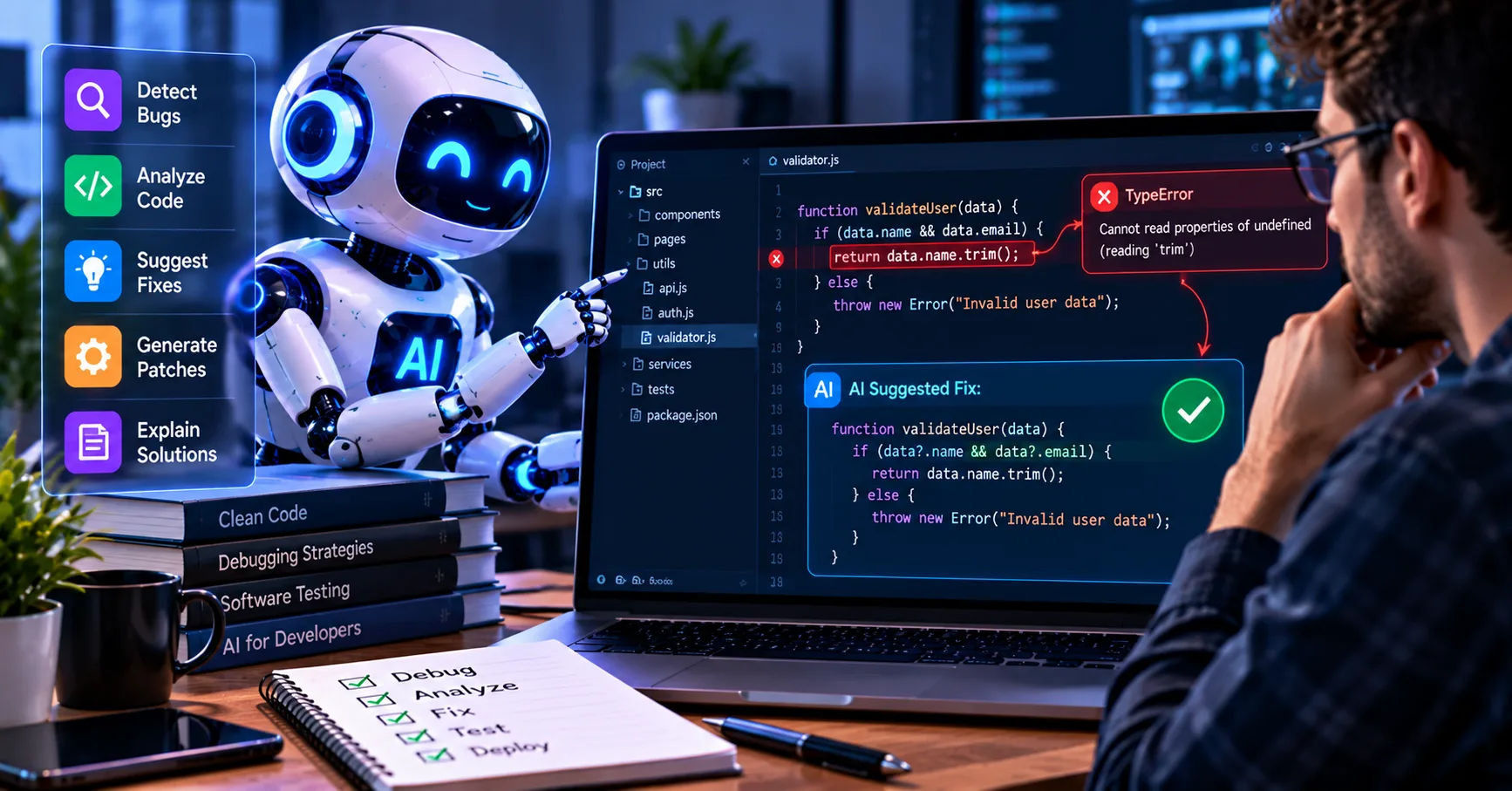 This is where mobile application QA tools become important. They help development teams identify defects, check functionality, evaluate performance, and verify that an application works correctly across different devices and operating systems. By automating repetitive checks and supporting manual testing, these tools make it easier to discover problems before they affect real users.
However, effective testing involves more than confirming that buttons respond when tapped. A reliable mobile application must protect user information, handle interruptions, perform well under different network conditions, and provide an accessible experience. Understanding what mobile application QA tools should test helps teams create applications that are stable, secure, user-friendly, and ready for real-world use.
The Purpose of Mobile Application QA Tools
Quality assurance, commonly called QA, is the process of checking whether software meets its requirements and delivers a dependable user experience. Mobile QA focuses on the unique challenges of smartphones and tablets, including different screen sizes, operating systems, hardware capabilities, network conditions, and user interactions.
Testing tools support this process by helping teams execute test cases, record results, identify defects, and compare application behavior across environments.
Some tools focus on automated functional testing, while others examine performance, security, accessibility, or compatibility. A complete testing strategy combines several methods rather than relying on a single tool.
Manual and Automated Testing
Manual testing involves a person interacting with an application as a typical user would. Testers explore screens, enter information, navigate menus, and observe unexpected behavior.
Automated testing uses scripts to perform predefined actions and verify expected results. It is particularly useful for repeated tasks, such as checking login functionality after every software update.
Both approaches have advantages. Automation improves repeatability and saves time, while manual testing helps identify confusing layouts, unusual workflows, and usability problems that scripts may overlook.
1. Functional Testing
Functional testing should be one of the first priorities for any mobile QA process. It verifies that the application behaves according to its requirements.
For example, a shopping application should allow users to search for products, add items to a cart, apply discounts, and complete purchases correctly.
User Registration and Login
Testers should verify that account creation, login, logout, password recovery, and account verification work as expected.
They should check valid and invalid credentials, missing fields, incorrect passwords, expired verification links, and repeated login attempts. Applications that support biometric authentication should also be tested with supported fingerprint or facial recognition features.
The application should display understandable error messages rather than crashing or leaving users uncertain about what happened.
Buttons, Forms, and Navigation
Every important interactive element should be tested. Buttons, menus, search boxes, dropdowns, forms, and navigation links must respond correctly to user actions.
Testers should also examine what happens when users submit incomplete information, enter unexpected characters, or move between screens before an operation finishes.
Using mobile application QA tools to automate these checks can help teams identify regressions when developers introduce new features or modify existing code.
Business Logic and Transactions
Applications must follow their intended business rules. For example, a booking application should prevent users from selecting unavailable appointment times, while a banking application should calculate balances accurately.
Testers should verify successful operations, rejected transactions, duplicate submissions, and interrupted workflows.
For payment-related applications, they should confirm that users receive accurate transaction statuses and that failed payments do not incorrectly appear as completed purchases.
2. Device and Operating System Compatibility
Mobile applications run across a wide variety of devices. Different screen sizes, hardware specifications, operating system versions, and manufacturer modifications can produce unexpected behavior.
Compatibility testing checks whether an application performs consistently across its intended support range.
Android and iOS Compatibility
Android devices vary considerably in hardware, screen resolution, operating system version, and manufacturer-specific features. iOS devices also differ in screen dimensions, available capabilities, and supported system versions.
QA teams should test the operating systems and devices that matter most to their target audience.
They should examine installation, startup, navigation, notifications, permissions, and core features on supported configurations.
Emulators and simulators are useful for broad coverage, but physical devices are necessary for validating certain hardware features and real-world behavior.
Screen Sizes and Orientations
An application should remain usable on small phones, large phones, and tablets when those devices are supported.
Testers need to check text wrapping, image scaling, button placement, scrolling, and layout alignment. Important controls should not disappear behind navigation bars or become difficult to tap.
Portrait and landscape orientations should also be tested where supported. If rotating a device changes the screen layout, the application should preserve relevant user input and maintain a sensible interface.
Installation and Updates
Compatibility testing should cover installation, uninstallation, upgrades, and application data migration.
Testers should verify that existing users can update without losing important information. They should also examine behavior when an update fails, storage is limited, or the device runs an older supported operating system.
These checks help prevent release problems that may not appear during ordinary feature testing.
3. Performance and Responsiveness
Performance directly affects user satisfaction. Even a feature-rich application can receive negative feedback if it loads slowly, freezes, or consumes excessive battery power.
Performance testing measures how efficiently an application uses device resources and how quickly it responds to user actions.
App Launch Time and Response Speed
QA tools should measure cold starts, warm starts, screen transitions, and the response time of important actions.
A cold start occurs when an application launches from a fully stopped state. A warm start occurs when some of its processes or resources may already be available.
Testers should measure response times for tasks such as opening a dashboard, searching for products, loading a profile, and submitting a form.
The acceptable response time depends on the application and the operation. Teams should define measurable performance targets and investigate results that exceed them.
Memory, CPU, and Battery Usage
An application that consumes too much memory may crash or force other applications to close. Excessive CPU usage can cause overheating, while inefficient background activity can drain the battery.
Testing should monitor memory consumption, processor usage, battery impact, and unnecessary background processing during realistic usage sessions.
QA teams should also look for memory leaks, which occur when an application continues holding resources it no longer needs.
Performance measurements should cover both ordinary use and demanding conditions, such as prolonged sessions or repeated navigation between complex screens.
Performance Under Load
Applications often depend on remote servers, databases, and third-party services. Performance testing should examine how they behave when many users access these services simultaneously.
Teams should simulate realistic traffic patterns and evaluate response times, error rates, and resource consumption.
For example, a ticket-booking application may work well during normal traffic but struggle when thousands of users attempt to purchase tickets at once.
Load testing helps reveal these weaknesses before major launches or promotional events.
4. Network Connectivity and Offline Behavior
Mobile users frequently switch between Wi-Fi, cellular networks, and unreliable connections. Applications must handle these changes without losing data or creating confusing experiences.
Different Network Conditions
QA teams should test applications under fast, slow, unstable, and interrupted network conditions.
They should examine what happens when a connection becomes unavailable while a page is loading, a form is being submitted, or a file is being uploaded.
The application should provide useful feedback and allow appropriate recovery instead of remaining stuck indefinitely.
Timeouts, retries, and error messages should be designed carefully to prevent repeated requests from creating duplicate operations.
Offline Functionality
Some applications are expected to support offline access. Examples include note-taking applications, downloaded maps, and tools that allow users to review previously saved documents.
Testing should verify which features remain available without internet access and whether locally stored information remains accurate.
When connectivity returns, the application should synchronize data safely. If users make conflicting changes on different devices, the system should follow a clear conflict-resolution strategy.
Mobile application QA tools can help simulate network interruptions and verify that the application recovers correctly when connectivity changes.
5. Security and Privacy Testing
Security testing is essential for applications that handle personal information, payment details, account credentials, business records, or private communications.
A mobile application may function perfectly while still exposing users to serious security risks. QA teams must therefore test how information is stored, transmitted, accessed, and protected.
Authentication and Authorization
Authentication verifies a user's identity. Authorization determines which resources and actions that user is permitted to access.
Testers should verify that users cannot access another person's account or private records by changing identifiers, manipulating requests, or bypassing interface restrictions.
They should also check session expiration, logout behavior, password-reset procedures, and permission enforcement.
Data Storage and Transmission
Sensitive information should not be exposed through insecure local storage, application logs, backups, or poorly protected network communications.
Testing should examine how the application stores credentials, tokens, personal details, and other sensitive data.
Teams should also validate secure communication with backend services and investigate certificate-validation weaknesses or improperly configured network connections.
Permissions and Privacy Controls
Applications should request only the permissions necessary for their intended features.
For example, a photo-editing application may need access to selected images, but continuous access to unrelated device information may be unnecessary.
QA teams should test what happens when users grant, deny, or later revoke permissions. The application should explain permission requirements clearly and continue working appropriately when optional permissions are unavailable.
Security assessments should complement functional testing, code reviews, dependency checks, and specialized security analysis rather than replace them.
6. User Interface and User Experience
A technically correct application can still fail if people struggle to understand or use it. UI and UX testing evaluate how clearly an application communicates information and how easily users complete tasks.
Layout, Readability, and Visual Consistency
Testers should examine spacing, typography, colors, icons, images, and alignment across supported devices.
Text must remain readable, and important actions should be easy to locate. Visual elements should follow consistent design rules so users do not need to relearn the interface on every screen.
Testing should also include longer text, empty states, error messages, and unusually large user-generated content, which may reveal layout defects.
Navigation and Task Completion
QA teams should observe whether users can complete common tasks without unnecessary steps or confusion.
For instance, a customer should be able to find a product, review its details, and proceed to checkout without encountering unclear navigation.
Testers should verify back-button behavior, screen transitions, modal dialogs, confirmation messages, and recovery from mistakes.
Usability testing with real participants can reveal problems that automated scripts cannot judge reliably.
Touch Interactions
Mobile interfaces rely on gestures and touch input. Testers should verify tapping, swiping, scrolling, dragging, pinch-to-zoom, and long-press actions wherever those interactions are supported.
Controls should be sufficiently large and separated to reduce accidental taps. The interface should also respond appropriately to repeated taps and rapid gestures.
These checks are particularly important for applications used while traveling or in environments where users cannot maintain precise control over their devices.
7. Accessibility Testing
Accessibility testing helps ensure that people with different abilities can use an application effectively.
It should be included throughout development rather than treated as a last-minute improvement.
Screen Readers and Assistive Technologies
QA tools should help verify compatibility with assistive technologies such as VoiceOver on iOS and TalkBack on Android.
Testers should check whether buttons, images, form fields, and other interface elements have meaningful accessible labels.
Screen readers should announce relevant information in a logical order. Users should be able to understand the purpose of controls without relying entirely on visual appearance.
Text Scaling and Color Contrast
Applications should remain usable when users increase text size through supported system settings.
Testers should check that larger text does not overlap, disappear, or make essential controls inaccessible.
Color contrast should be sufficient for users with low vision, and important information should not be communicated through color alone. For example, an error should include descriptive text or an icon rather than appearing only as a red border.
Keyboard and Alternative Navigation
Where external keyboards, switch controls, or other assistive input methods are supported, QA teams should test whether users can reach and operate important controls.
Accessibility checks should combine automated scans with manual evaluation because automated tools cannot identify every barrier.
8. Notifications and Background Behavior
Mobile applications often perform tasks while running in the background or when users are interacting with other applications.
Testing should verify that these behaviors remain reliable without interrupting users unnecessarily.
Push and Local Notifications
QA teams should test whether notifications arrive at the correct time, display accurate information, and open the appropriate screen when tapped.
They should verify behavior when notifications are disabled, permissions are denied, or the device is offline.
Notifications should not expose sensitive information on a locked screen unless the user has explicitly chosen an appropriate display setting.
Calls, Messages, and App Switching
Incoming calls, messages, alarms, and system dialogs can interrupt application activity.
Testers should check whether the application pauses, resumes, and preserves user progress correctly.
For example, if a user is filling out a lengthy form when a phone call arrives, the application should avoid losing the entered information unnecessarily.
Teams should also examine behavior when the operating system suspends or terminates the application to free resources.
9. Data Integrity and Error Handling
Mobile applications frequently collect, modify, and synchronize important information. Testing should ensure that data remains accurate even when operations fail.
Input Validation
Testers should enter valid information, invalid values, blank fields, unusually long text, unexpected characters, and boundary values.
For example, a registration form should reject malformed email addresses and handle password requirements consistently.
Validation should occur at appropriate layers, including the backend where necessary. Client-side checks alone are insufficient because requests can be manipulated outside the application interface.
Saving and Synchronization
QA teams should verify that changes are saved correctly and that information remains consistent across screens and devices.
They should test interrupted saves, duplicate submissions, expired sessions, and conflicting updates.
Applications should provide clear confirmation when an operation succeeds and explain how users can recover when it fails.
Crash Recovery
Testing should include unexpected closures, process termination, insufficient storage, and interrupted operations.
After restarting, the application should restore an appropriate state and avoid corrupting important data.
Crash reporting and diagnostic logs can help developers identify recurring failures, provided those logs do not expose sensitive user information.
10. API Integration and Third-Party Services
Many mobile applications depend on APIs, payment gateways, analytics platforms, authentication providers, mapping services, and cloud storage.
An issue in any dependency can affect the entire user experience.
API Request and Response Validation
QA teams should verify that requests contain the correct parameters and that responses are handled properly.
Tests should cover successful responses, authentication failures, invalid data, rate limits, server errors, and unexpected response formats.
The application should not crash when a service returns incomplete or malformed information. Instead, it should handle the failure safely and provide a useful message when appropriate.
Third-Party Integration Testing
Applications should be tested with external services in both normal and failure scenarios.
For example, if a payment provider becomes temporarily unavailable, the application should not incorrectly mark an order as paid.
Teams should also check dependency versions, configuration changes, service timeouts, and fallback behavior.
Mock services and test environments can help developers reproduce failures without depending on live production systems.
11. Regression Testing and Continuous Integration
Every software change creates the possibility of introducing a new defect. Regression testing checks whether existing functionality continues to work after code changes, bug fixes, or dependency updates.
Automating Repeated Test Cases
Teams should prioritize automated tests for essential workflows, such as signing in, placing orders, submitting forms, and retrieving saved data.
These tests should run regularly and whenever meaningful code changes are introduced.
Reliable automation helps detect problems early, when they are generally easier to investigate and correct.
Integrating Tests into Development Pipelines
Continuous integration and continuous delivery, often abbreviated as CI/CD, allow teams to build, test, and prepare applications through automated workflows.
A typical pipeline may include unit tests, integration tests, UI automation, static analysis, and selected security checks.
Not every test needs to run on every code change. Fast checks can run frequently, while longer device compatibility and performance suites may run on scheduled builds or before release.
Test Reporting and Defect Tracking
Effective QA processes need clear test reports showing which checks passed, failed, or could not be completed.
Reports should include useful diagnostic information, such as device details, operating system versions, screenshots, logs, and reproduction steps.
Teams should prioritize defects according to severity, likelihood, user impact, and business risk rather than treating every failure as equally urgent.
12. Choosing the Right Mobile QA Testing Tools
Selecting appropriate tools depends on the application's complexity, target audience, development framework, budget, and testing goals.
No single product provides complete coverage for every possible mobile testing requirement.
Important Features to Consider
When evaluating mobile application QA tools, teams should consider the following capabilities:
-
Device coverage: Support for relevant physical devices, operating systems, and screen sizes.
-
Automation support: Ability to automate repeatable tests and integrate with development workflows.
-
Performance monitoring: Measurements for response times, resource usage, and application stability.
-
Security testing: Support for identifying relevant weaknesses in application behavior and configuration.
-
Reporting: Clear test results, diagnostic logs, screenshots, and failure histories.
-
CI/CD integration: Compatibility with the team's build and release process.
-
Scalability: Ability to handle growing test suites and additional devices.
-
Ease of maintenance: Practical ways to update scripts as application interfaces change.
Popular options include Appium for cross-platform UI automation, Espresso for Android UI testing, and XCUITest for iOS UI testing. Performance monitoring, accessibility evaluation, and security analysis may require separate tools.
Teams should assess each option against their actual requirements instead of selecting a tool solely because it is popular.
Building a Risk-Based Testing Strategy
A risk-based approach directs the greatest testing effort toward features where failure would have the most serious consequences.
For a banking application, authentication, transaction accuracy, privacy, and authorization deserve significant attention. For a navigation application, location accuracy, network interruptions, battery use, and offline maps may be more important.
Teams should combine automated checks, manual exploration, physical-device testing, and specialized assessments.
They should also review test coverage regularly because new features, changing user expectations, and emerging security risks can create additional testing needs.
Conclusion
Mobile application quality depends on more than whether an application opens and its main buttons work. A reliable product must perform consistently across supported devices, respond quickly, protect sensitive information, handle unreliable connections, and provide an accessible, understandable experience.
A comprehensive QA strategy should cover functional behavior, compatibility, performance, security, privacy, usability, accessibility, notifications, data integrity, API integrations, and regression testing. Each area reveals a different category of potential problems, making a balanced testing process essential.
The right mobile application QA tools help teams automate repetitive checks, monitor application behavior, reproduce defects, and identify weaknesses before they affect users. However, tools are most effective when combined with skilled testers, realistic test scenarios, clear quality standards, and regular reviews of test results.
Businesses should begin by identifying their most important user journeys and highest-risk features. They can then select suitable testing tools, establish measurable performance and reliability targets, and integrate appropriate checks into their development workflow.
Ultimately, quality assurance is an ongoing responsibility rather than a single activity before launch. By testing consistently and responding to findings promptly, development teams can reduce avoidable failures, improve user confidence, and deliver mobile applications that remain dependable as they evolve.